Making Everyday Work Easier: My Efficient Digital Life with Alohi
I used to think that work efficiency mainly depended on how well I managed my time. However, as my daily workload and personal responsibilities gradually increased, I began to realize that the things that consume the most time are often the small, seemingly insignificant tasks: organizing files, searching for information, handling PDFs, answering phone calls, and repeatedly checking important details.
Each task may seem simple on its own, but together, they can easily disrupt the flow of an entire day.Recently, I started paying more attention to digital productivity tools, which led me to explore Alohi in greater depth.
What caught my attention was that Alohi doesn’t simply offer standalone software with individual functions. Instead, it provides a collection of solutions designed to support different aspects of everyday work. This time, I want to share my thoughts on several products and features that particularly interest me, focusing on document management, intelligent processing, and communication efficiency.
1. Scan.Plus Pro: Making It Easier to Manage Large Numbers of Documents
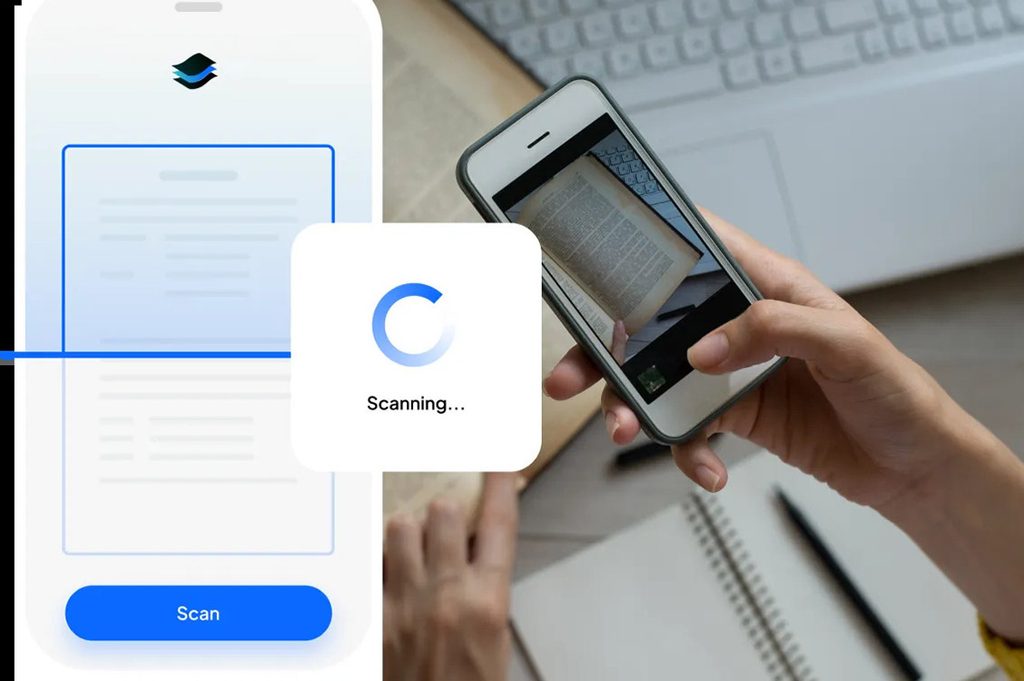
I regularly work with different types of documents, including professional materials and reference files for personal projects. In the past, I usually saved everything directly to my phone or computer. Over time, however, the number of files continued to grow, and finding a specific document often became a time-consuming task.
That’s one of the reasons I find Scan.Plus Pro particularly interesting. It focuses not only on digitizing documents but also on providing more comprehensive document management capabilities. For example, I can organize different types of files into folders and use its PDF tools to rearrange pages, merge or split documents, compress files, and even password-protect PDFs.
Another feature I appreciate is the backup functionality, which allows documents to be saved to external storage. This is especially important to me because I don’t want to lose carefully organized materials due to changing devices or unexpected situations.
Compared with simply storing files, I prefer an approach that combines organization, management, and backup capabilities. Through Scan.Plus Pro, Alohi has shown me a more practical side of mobile productivity tools.
2. Sign.Plus: Reducing Repetitive Tasks When Handling Documents
I’ve always felt that the most tiring part of document processing isn’t necessarily reading the content, but dealing with the small, repetitive steps involved. This is particularly true when filling out and signing PDF documents. Finding the right signature fields, adjusting text boxes, and checking dates and other information can take up more time than expected.
The automatic field placement feature in Sign.Plus is something I find especially interesting. It can recognize supported embedded form fields in PDFs and also use AI to suggest suitable positions for signatures, text fields, dates, and checkboxes in regular or scanned PDF documents.
I really appreciate this approach to reducing repetitive work. Previously, whenever I received a document with multiple fields to complete, I had to examine each section individually to determine where information should be added. Now, AI can help with the initial layout, leaving me to review the suggestions and make adjustments when necessary.
For me, the real value of a productivity tool isn’t necessarily replacing human involvement entirely, but making mechanical tasks easier and more efficient. The feature introduced by Alohi in Sign.Plus has given me a fresh perspective on electronic document processing.
3. Fax.Plus: Discovering Smarter Ways to Process Document Information
When I think about faxing, I used to associate it with traditional office practices that seemed somewhat disconnected from modern digital life. However, after learning more about the new features in Fax.Plus, I realized that fax services can also incorporate artificial intelligence to provide more flexible document processing capabilities.Two features that particularly caught my attention are AI Data Extraction and AI Text Transcript.
AI Data Extraction can identify and extract key information from fax documents, including names, dates, and contact details, and organize the results into structured data. I think this feature is especially useful when working with information-dense documents. Instead of manually searching for and entering every individual detail, I can rely on AI to help streamline the process and save considerable time.
AI Text Transcript, meanwhile, converts fax pages into searchable and copyable text. It supports printed text as well as certain handwritten content. For someone like me who frequently organizes documents and reference materials, this can significantly reduce repetitive typing and make subsequent searching and archiving much easier.
In addition, Fax.Plus supports connecting with compatible AI assistants, including ChatGPT, through MCP. Within the permissions of the account, users can interact with their fax services using natural language to send faxes, check their inboxes, and track transmission statuses. I believe combining traditional communication methods with AI-powered workflows has considerable potential.
4. Dial.Plus: Enjoying More Flexible Communication
Beyond document processing, I also care a lot about communication efficiency. Sometimes, incoming calls interrupt my planned work, while important details can easily be overlooked if they aren’t recorded promptly. When that happens, I may need to spend additional time going back and confirming the information later.
My impression of Dial.Plus is that it offers more than just a tool for answering phone calls. It feels more like an AI voice assistant that can be customized according to different business needs.One feature I particularly like is the customizable AI persona.
Users can train their AI assistants using documents, frequently asked questions, and communication scripts, while also adjusting their tone and personality according to their preferences. This means the phone assistant doesn’t have to rely solely on mechanical responses. Instead, it can provide relevant information based on its configured knowledge base.
Another feature that interests me is Smart Summaries. After each call, it can generate call summaries, sentiment analysis, and follow-up tasks, helping me understand the main points of a conversation more quickly. I think this is particularly valuable for teams that handle large volumes of inquiries. Even without participating in an entire conversation, team members can use the summary to catch up on important details.
These features in Dial.Plus demonstrate to me how AI can bring practical value to everyday communication. They help reduce repetitive communication tasks while making important information easier to organize and use.
A New Perspective on Digital Productivity
After exploring Alohi again, my biggest takeaway is that digital productivity isn’t simply about converting paper documents into electronic files or using a few efficiency tools. What really matters is making different processes, such as document organization, information extraction, electronic document processing, and everyday communication, work together more smoothly.
From the document management capabilities of Scan.Plus Pro and the AI-powered field placement in Sign.Plus to the intelligent information extraction features of Fax.Plus and the call summaries offered by Dial.Plus, I’ve discovered how Alohi is working to improve everyday workflows from different perspectives.
What I appreciate most is this focus on practical, real-world applications. For me, productivity tools don’t need to have overly complicated interfaces or workflows. They should simply provide useful assistance when I need it, allowing me to devote more time and energy to content creation, personal planning, and other meaningful activities.
I’m also looking forward to seeing how Alohi continues to explore the possibilities of combining artificial intelligence with everyday work scenarios and brings even more practical solutions to our increasingly digital lives.